

Feature Toggle Management: A Practical Guide for Engineering Teams


Feature toggle management is the day-to-day discipline of keeping every toggle in your codebase doing its job, from the moment it ships to the day someone finally deletes it.
It's become a routine part of the modern software development lifecycle. Most engineering teams start with a handful of simple feature toggles guarding a few new features that aren't quite ready.
A year or two later, they're maintaining hundreds of flags across config files, environment variables, and spreadsheets, with nobody quite sure which ones are safe to remove.
This guide explains feature flags and toggle management (they're the same thing), the different types of toggles you'll run into, how a toggle's lifecycle should work from creation to retirement, and what to look for if you're evaluating feature toggle management tools.
What is feature toggle management?
At its simplest, a feature toggle is a conditional statement in your code that decides which of two code paths runs for a given user, letting you modify system behaviour with a configuration setting instead of a new code deployment.
Wrap a new feature in that conditional, and you're using feature flags—also sometimes called feature flippers—to control who sees it and when. That mechanism sits behind a feature toggle.
Feature toggle management is maintaining multiple toggles across your feature set and product. It's a system that enables your team to decide how a toggle gets created and named, who owns it, which user segments it targets, how its state changes as a feature moves from limited release toward the entire user base, and—critically—when it gets removed once it's no longer doing useful work.
Don't treat feature toggle management as a one-off task; treat it as an ongoing practice with clear conventions, and you'll avoid having a codebase riddled with conditional logic that nobody can understand, with no one able to tell which toggles are still live and which are just technical debt.
Why development teams invest in feature toggle management
Feature toggle management solves a problem in the development process that's older than the practice itself: code deployment and feature release don't have to happen at the same time.
Without toggles, shipping a change means shipping it to everyone at once. With a feature flag system in place, you can deploy incomplete code to production, keep it hidden from users, and switch it on for a specific user segment once it's ready.
Teams that leverage feature flags effectively are practising what's often called progressive delivery: exposing features to users gradually instead of releasing to the entire user base at once.
That single change unlocks a handful of practical benefits for engineering teams:
- Safer releases. A canary release rolls a feature out to a small percentage of users first, so you can watch how it performs against real production data before expanding it—or switching it off—based on what you see.
- Faster incident response. An ops toggle or kill switch lets you disable a misbehaving feature in seconds, without waiting on a full rollback or redeploy.
- Room for experimentation. Experiment toggles let you run A/B tests against different user segments and gather real user feedback before committing to a design.
- Continuous integration without long-lived feature branches. Toggles let developers merge unfinished features into the main branch behind a flag, supporting trunk-based development instead of maintaining feature branches that drift further from main with every day they stay open.
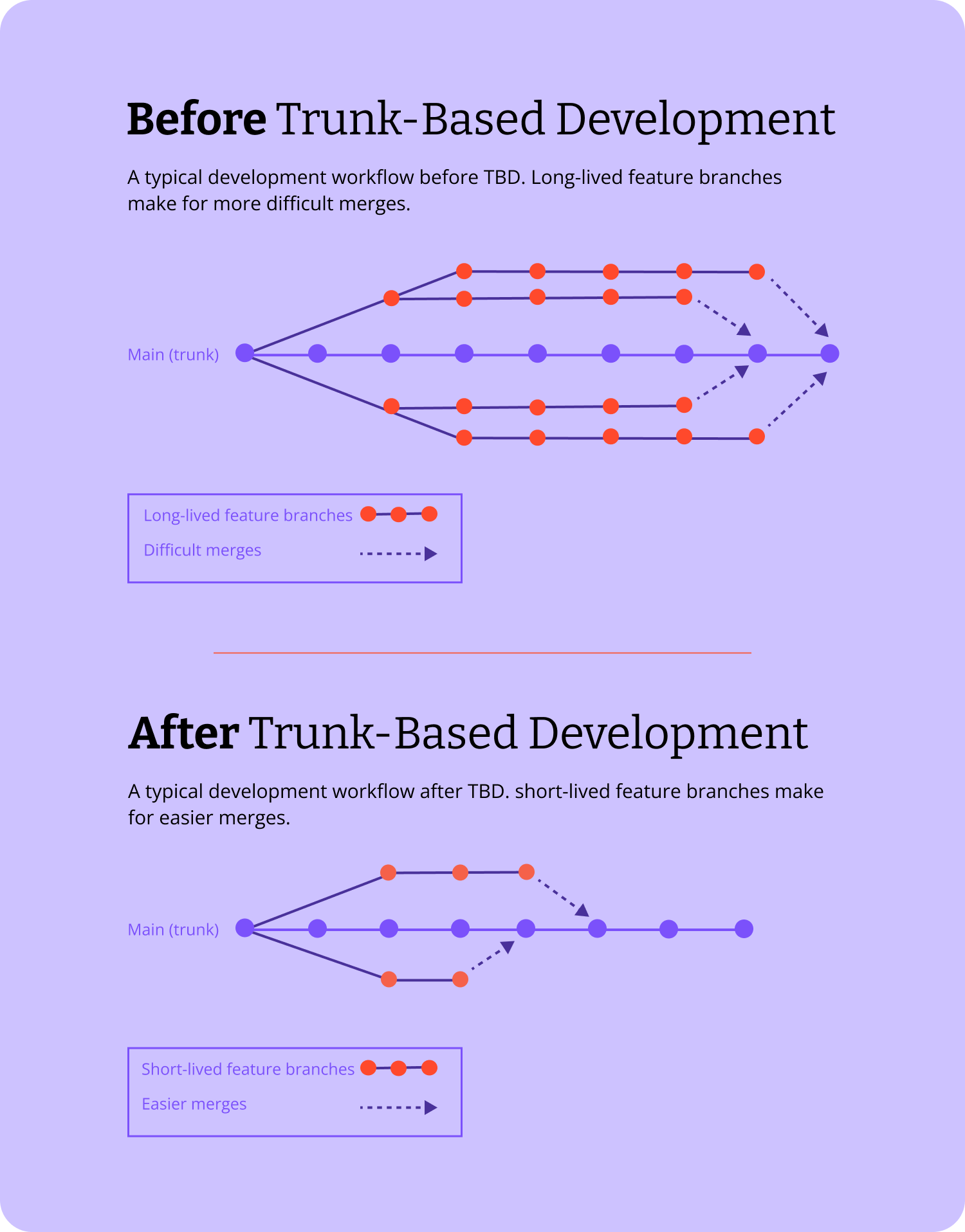
None of this requires a large platform.
A single toggle checked against an environment variable can deliver most of these benefits for a small team. It's when the number of toggles—and the number of teams touching them—grows that you really need to make sure that your team is managing them properly.
The main types of feature toggles
Not every toggle in your codebase is doing the same job, and treating them as if they were is one of the most common causes of toggle sprawl.
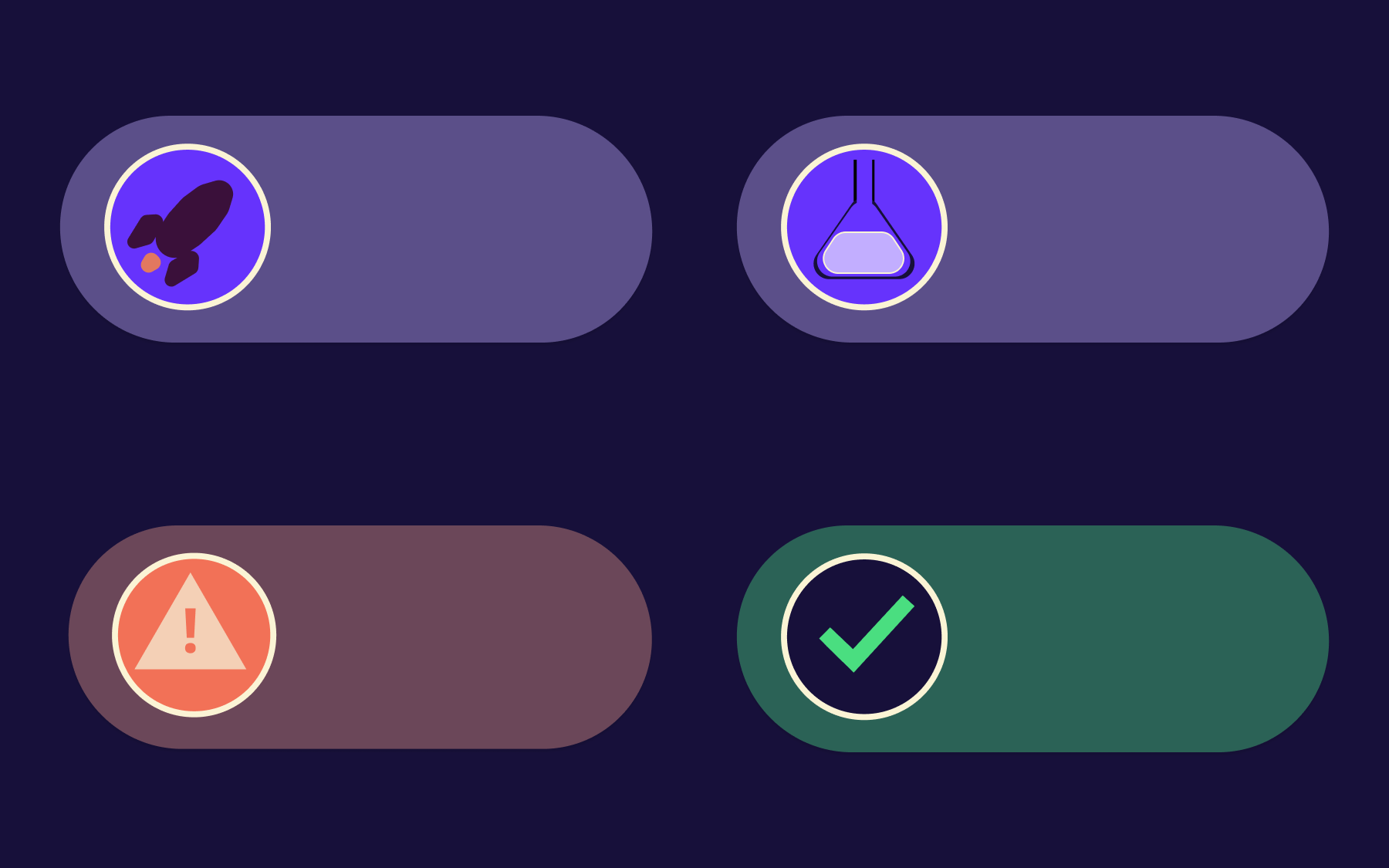
It helps to think in terms of four broad categories.
Release toggles
A release toggle is the simple feature toggle most people think of first: a flag that hides new UI elements or other unfinished functionality until a feature is finished, then gets removed once the feature is fully rolled out.
These toggles are meant to be short-lived. A release toggle still sitting in the codebase six months after the feature shipped is a sign the cleanup step got skipped.
Experiment toggles
Experiment toggles power A/B testing and other forms of controlled experimentation. Rather than showing the same experience to your entire user base, you present different feature variants to different user segments and measure which one moves the metric you care about.
Like release toggles, these should be removed once the experiment concludes.
Ops toggles and kill switches
Operational toggles—often called ops toggles, operational flags, or kill switches—control access to individual features that affect system stability rather than the user experience directly. Circuit breakers that disable a struggling third-party integration under load are a typical example.
Unlike release toggles, these are built to persist, and teams tend to keep them in place indefinitely as a safety net.
Permission toggles
Permission toggles control long-term access to user-facing features, rather than managing a single rollout. Gating a feature so only premium users can reach it, or restricting a feature to internal teams before a wider release, both fall into this category. These toggles tend to live for as long as the feature itself does.
The feature toggle lifecycle
Every toggle has a lifecycle, whether or not anyone's tracking it. It starts when a developer adds new code behind a flag, moves through a rollout period while the team watches how the feature behaves for different user segments, and should end with either a full release or a deletion.
Most teams are reasonably good at the first two stages and considerably worse at the third.
A toggle that's fully rolled out to the entire user base with no exceptions isn't doing any more work—the conditional logic around it is now just unnecessary complexity sitting in the code, and every toggle left in that state adds more technical debt to the codebase.
Adopting a few habits can make a real difference here.
- Use consistent toggle naming conventions. Pick a scheme when the toggle is created, so its purpose stays obvious from the name alone months later.
- Assign an owner to every toggle at creation time, not just the team that happens to touch that code most often.
- Set an expected removal date when the toggle is created, even if it's later revised, so cleanup isn't left to whoever notices the toggle months later.
- Keep a toggle inventory or audit log so the entire team can see at a glance which toggles are still live and who owns them, instead of guessing which ones are safe to remove.
None of this is enforced by the toggle itself. A feature flag management platform can make stale toggles visible and provide you with a trail of who changed what, but the discipline of actually removing them still comes down to the development team.
Feature toggle management in CI/CD and production environments
Feature toggle management sits naturally inside a continuous delivery pipeline. Because toggles decouple code deployment from feature release, software teams can push every code change through CI/CD and into production environments continuously, without worrying that an unfinished feature will reach users before it's ready.
It is also what makes testing in production practical.
Restrict a new feature to internal teams first, watch how it behaves against real production data, then widen the target for a specific user segment as confidence grows.
It's a much shorter feedback loop than waiting for a staging environment to catch everything: staging rarely reproduces the traffic patterns, integrations, and edge cases of a live system.
Separate environments are still necessary—development, staging, testing, and production each need their own toggle configuration, so a flag flipped on for testing doesn't accidentally control access for real users.
Most feature flag management platforms let you handle this by setting a different state per environment for the same toggle, rather than maintaining separate config files for each one.
The result, when it works well, is a tighter loop between shipping code and learning from user behaviour: engineering teams get real user feedback earlier, without betting an entire release on a single deployment.
How to choose a feature toggle management platform
At first, plenty of teams manage feature flags through nothing more than environment variables or a shared configuration file.
However, that focus changes once you have many feature toggles spread across several services, more than one team touching them, and a genuine need for feature visibility across the organisation.
At that point, check any feature flag management platform you're evaluating against a handful of criteria.
- Deployment model. Does it run as SaaS only, or can you self-host it? If your industry has data-residency or compliance requirements, this is an important consideration.
- Targeting and segmentation. Can you control access for a specific user segment, not just turn a feature fully on or off?
- Governance features. You'll need role-based access control and audit logging as soon as more than one team is managing flags in production, while change approval workflows become worth adding not long after that.
- SDK and language coverage. Check it supports the languages and frameworks your engineering teams actually use, not just the popular ones.
- Standards support. Whether the platform supports open standards designed to reduce lock-in.
- Pricing model. Understand what happens to your costs as toggle count and monthly active users grow, not just the headline price.
Open source and self-hosting
Some enterprise and regulated teams—in banking, healthcare, or any sector with strict data-residency rules—need to keep flag evaluation and user data inside their own infrastructure.
An open-source, self-hostable platform makes that possible, at the cost of taking on the operational work of running and patching it yourself. A fully managed SaaS platform removes that overhead but means you have to trust a third party with the evaluation of every flag.
Vendor neutrality and OpenFeature
OpenFeature is an open specification for feature flag evaluation that several platforms, Flagsmith included, support alongside their own SDKs.
Building against it means your code doesn't have to change if you later switch providers or run more than one platform side by side.
It's a useful thing to check for, though it's worth going in aware that adopting a standard doesn't remove every practical difference between platforms—targeting logic, governance features, and pricing still vary.
Feature toggle management tools compared
The market is roughly split into four categories.
- Fully managed enterprise platforms handle hosting, scaling, and support for you, in exchange for a subscription that typically scales with monthly active users or seats.
- Open-source and self-hostable platforms give you the option to run the software on your own infrastructure, which suits teams with compliance requirements but shifts operational responsibility onto the development team.
- Standards projects sit above individual vendors, giving you a common API rather than a hosted service.
- You can also self-build your company's feature flag solution, but this approach puts all the responsibilities on your team's shoulders and is rarely the right option
None of these categories is automatically the right answer. A five-person startup with no compliance obligations rarely needs the operational overhead of self-hosting, while a bank with strict data-residency rules might find a SaaS-only platform is a non-starter regardless of its feature set.
Flagsmith sits across the fully-managed and open-source categories, depending on the size of your business.
It's a feature flag and remote configuration platform that can run as fully managed SaaS, self-hosted on your own infrastructure, or on-premises.
Multiple environments and user segments are available on every plan, while we offer SDKs across the common web, mobile, and server-side languages, plus OpenFeature providers for teams that want to build against the open standard rather than a single vendor's SDK.
Flagsmith offers a lot of flexibility if the right deployment model is a hard requirement for you, but bear in mind that self-hosting Flagsmith means your team takes on the work of running and maintaining that infrastructure rather than handing it to a vendor.
The best way to create a shortlist like this is to work backwards from your own constraints—deployment model, budget, team size, and which of the criteria above actually matter to you—rather than starting from a list of tools and hoping one fits.
Which feature toggle management tools support enterprise teams?
Enterprise-ready feature toggle management tools tend to share a similar baseline: role-based access control, single sign-on, audit logging, and some form of service-level agreement around uptime and support.
Deployment flexibility—the option to self-host or run on-premise—is also increasingly common among platforms built with regulated industries in mind, though it's far from universal.
This feature has become fairly standard across the space, so it's worth checking directly with each vendor to see the detail behind the label: what SSO protocols are actually supported, what the audit log covers, what the SLA guarantees in practice, and whether enterprise features sit behind a separate paid tier.
If your organisation needs a support contract, dedicated onboarding or specific compliance certifications, ask for those in writing rather than assuming a vendor's enterprise page covers them.
The gap between what's listed and what's contractually guaranteed is where many teams will find themselves disappointed after a platform's already been rolled out.
Best practices for managing feature toggles at scale
A few habits separate teams that keep feature toggle management under control from teams that eventually declare toggle bankruptcy and rip out a codebase full of dead flags.
- Document naming conventions. A shared naming standard across the team makes a toggle's purpose obvious at a glance, instead of relying on tribal knowledge.
- Limit toggles per feature area. Many feature toggles stacked on top of each other in the same section of code multiply the number of states you need to test.
- Review toggles on a schedule. A monthly or quarterly cleanup review catches toggles that outlived their purpose before they turn into technical debt nobody wants to touch.
- Write automated tests for both states. A feature that's only ever tested with its toggle on is a feature that's untested for every user still seeing the old behaviour.
- Treat ops toggles differently from release toggles. Long-lived operational toggles deserve monitoring and clear ownership; short-lived release toggles deserve a removal date.
A feature flag management platform can support all of this—flagging stale toggles, tracking ownership, logging changes—but it doesn't replace the habit.
The tooling available makes it easier to follow good practice and to see when this starts to slip, but it doesn't enforce the practice on its own.
Conclusion
Feature toggle management is less about any single toggle and more about the process wrapped around all of them: how they're named, who owns them, how their state changes as a feature moves toward the entire user base, and when they finally get removed.
Get that process right, and feature toggles become one of the more reliable tools available to engineering teams. Skip it, and toggle sprawl turns into a specific kind of technical debt that's genuinely painful to unpick later.
Whether you're managing a handful of toggles through environment variables or evaluating a full feature flag management platform, the same principles apply: keep fewer toggles than you think you need, and give each one clear ownership and a plan for removal from day one.
If you're ready to put a platform behind that process, sign up for a free Flagsmith account and see how it handles feature toggle management for yourself.
Feature toggle management FAQs
What is the best feature toggle management solution?
There isn't a single best solution for every team—the right feature toggle management platform depends on your deployment model, compliance requirements, team size, budget, and more.
A small team with no compliance constraints might be well served by a simple SaaS platform, while a regulated enterprise may need a self-hosted or on-premise option. Work through the criteria above before comparing tools directly.
Are feature toggles and feature flags the same thing?
Yes. Feature toggle and feature flag describe the same underlying concept: a conditional that controls whether a piece of code runs for a given user. Different teams and vendors favour one term over the other, but they aren't distinct techniques.
How many feature toggles are too many?
There's no fixed number, but if nobody on the team can say what a toggle does or whether it's safe to remove, you already have too many. Most teams find that regular cleanup reviews keep the count manageable long before it becomes a genuine problem.





























































OpenTelemetry, without the vendor lock-in: Introducing full observability for Open Source and Self-Hosted Flagsmith customers
















































